
How to Create an Ebook with AI (Claude + Canva Walkthrough)
Oct 13, 2026To create an ebook with AI, use an AI writing tool like Claude to generate the content, then use a design tool like Canva to turn that content into a finished, branded PDF. The full workflow has five steps: write the content in Claude, choose and brand a Canva ebook template, have Canva AI place your content into the template, export the PDF, and build mockup images for your product listing. Starting from content you already own, such as a video transcript or blog post, keeps the ebook original instead of generic. The hands-on work can take under 10 minutes, plus the time you spend reviewing and editing the draft.
Key Takeaways
- Claude writes the content. Canva handles the design and the mockups.
- Feed Claude your own content, like a transcript or blog post, so the ebook sounds like you and not like everyone else.
- A detailed prompt gets a better first draft. Tell Claude who you are, who your audience is, and your goal, then ask it to ask you clarifying questions.
- Canva AI can fill your branded template with the finished content for you.
- Export the ebook as a PDF, then turn its pages into mockup images for your listing.
Heads up — some links below are affiliate links, which means I may earn a small commission if you buy through them, at no extra cost to you. I only recommend tools I actually use.
You've seen Claude and Canva make social media posts. Plot twist: they can make a product, too.
I took the transcript from one of my own YouTube videos and turned it into an ebook I called the Claude AI Playbook. No hours of outlining. No designing every page by hand.
Here's the exact process, zero fluff.
Why create an ebook with AI instead of from scratch?
An ebook is a create-once product. You build it one time, and you can sell it again and again without starting over. The slow parts are outlining, writing, and laying out every page, and that's what AI speeds up.
Sellers are already doing this. Among the 203 AI users in the 2026 What Actually Works for Digital Product Sellers survey, 40% use AI to create the actual products they sell.
Let's be real, though: AI doesn't make products sell. Among sellers in our survey, we found no statistically significant link between using AI and making a sale. What it does is save you hours.
Watch the full ebook walkthrough on YouTube →
How do you use Claude to write your ebook content?
Step one happens in Claude, before you ever open Canva.
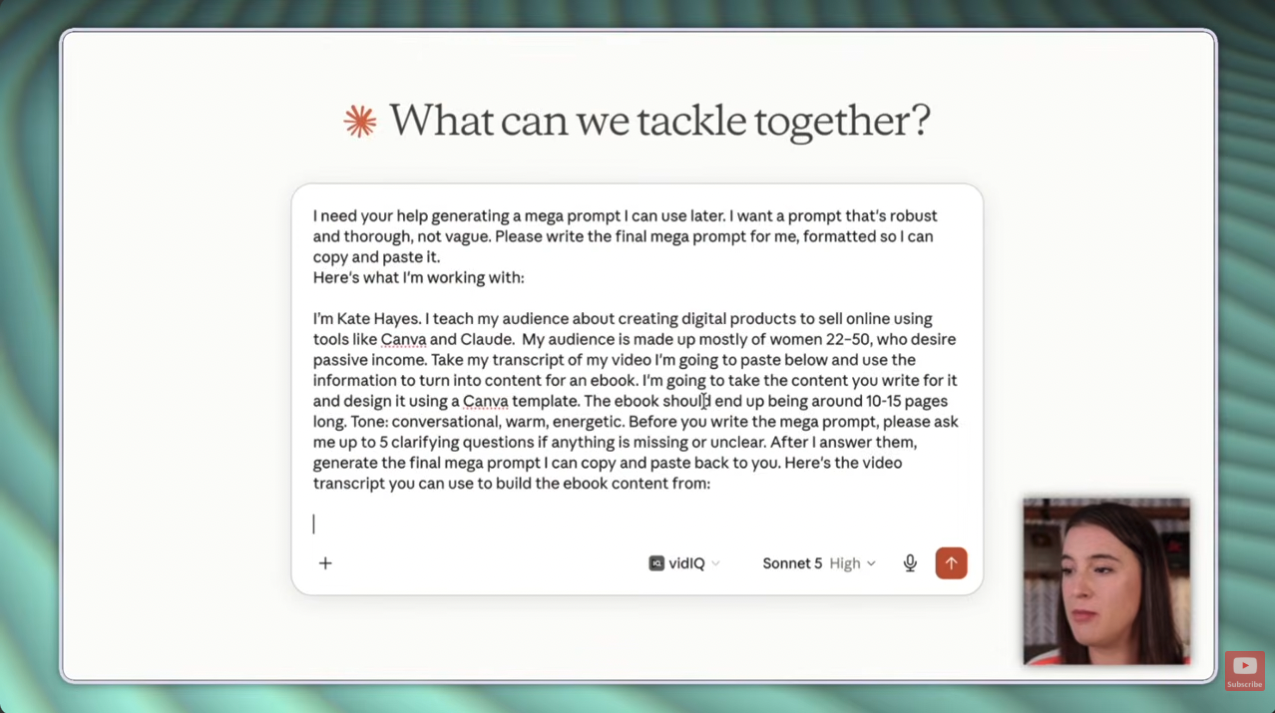
Start a new chat and give Claude a mega prompt: who you are, who your audience is, what kind of business you run, and what the goal is for this product. The more context you give, the less the draft sounds like generic AI and the more it sounds like your brand.
Then use your own material. I uploaded the transcript from a YouTube video I'd already made and asked Claude to turn it into ebook content. If you create videos or blog posts, you've already got source material sitting there.
Here's the move that saves time: ask Claude to write the prompt for you. I think of it as the prompt before the prompt.
- Paste your mega prompt and your source content, like a transcript, into a new Claude chat.
- At the end of the prompt, ask Claude to ask you clarifying questions before it writes anything.
- Answer them. Mine asked what the ebook was for (I picked a paid standalone product) and whether to keep the video's original flow or reorganize it into a book format.
- Copy the full prompt Claude generates, start a new chat, and paste it in.
- Claude writes the first draft of your ebook.
Compared to my original prompt, the one Claude wrote was far more robust. It covered the context, the task, the format, and the constraints, which helps Claude get it right on the first try.
Not sure what to put in your mega prompt? I made a copy-and-paste mega prompt template for exactly this. It's inside my free Claude Starter Pack, along with an overview of Claude, a brand guidelines template, and templates for three Claude projects. Grab the free Claude Starter Pack here.
How do you choose and brand a Canva ebook template?
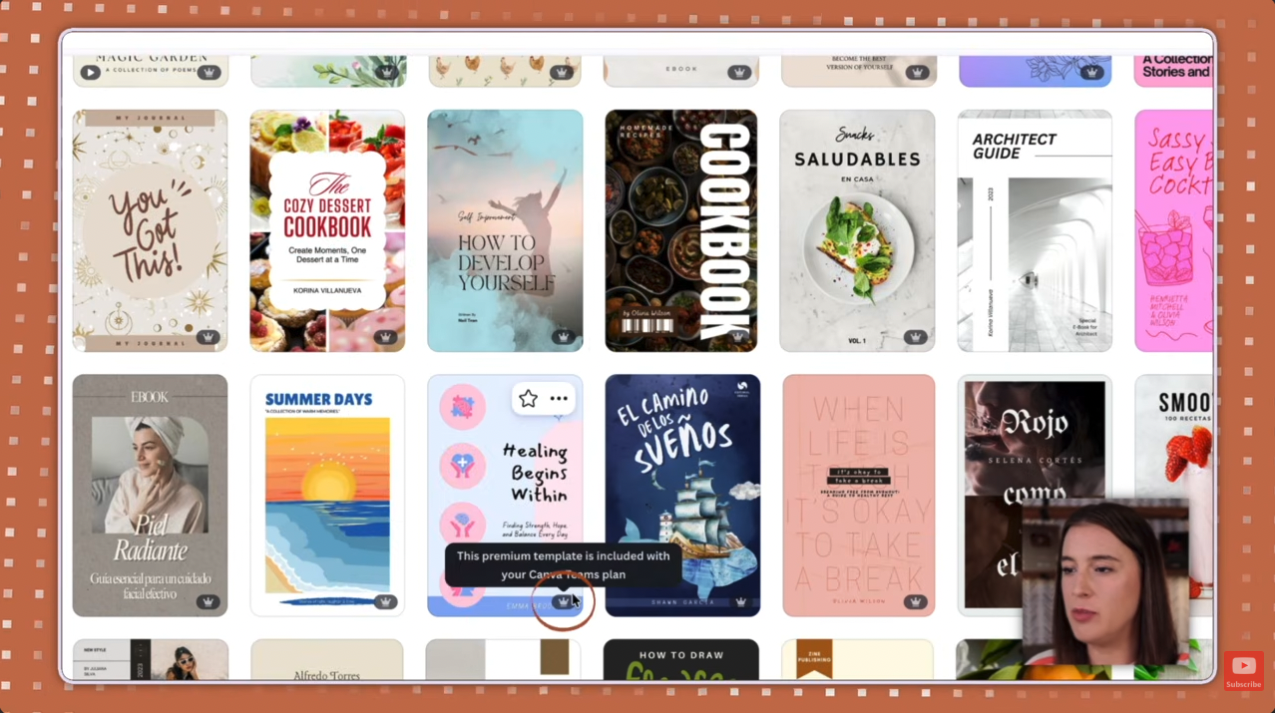
Next, hop over to Canva. Click Templates on the left, type in "ebook," and scroll until one fits your style. When you find it, click Customize this template.
One thing to watch: a small crown in the bottom right corner means it's a Canva Pro template. No crown means it's free. Want to try Pro? Here's my free 30-day Canva Pro trial link (affiliate link).
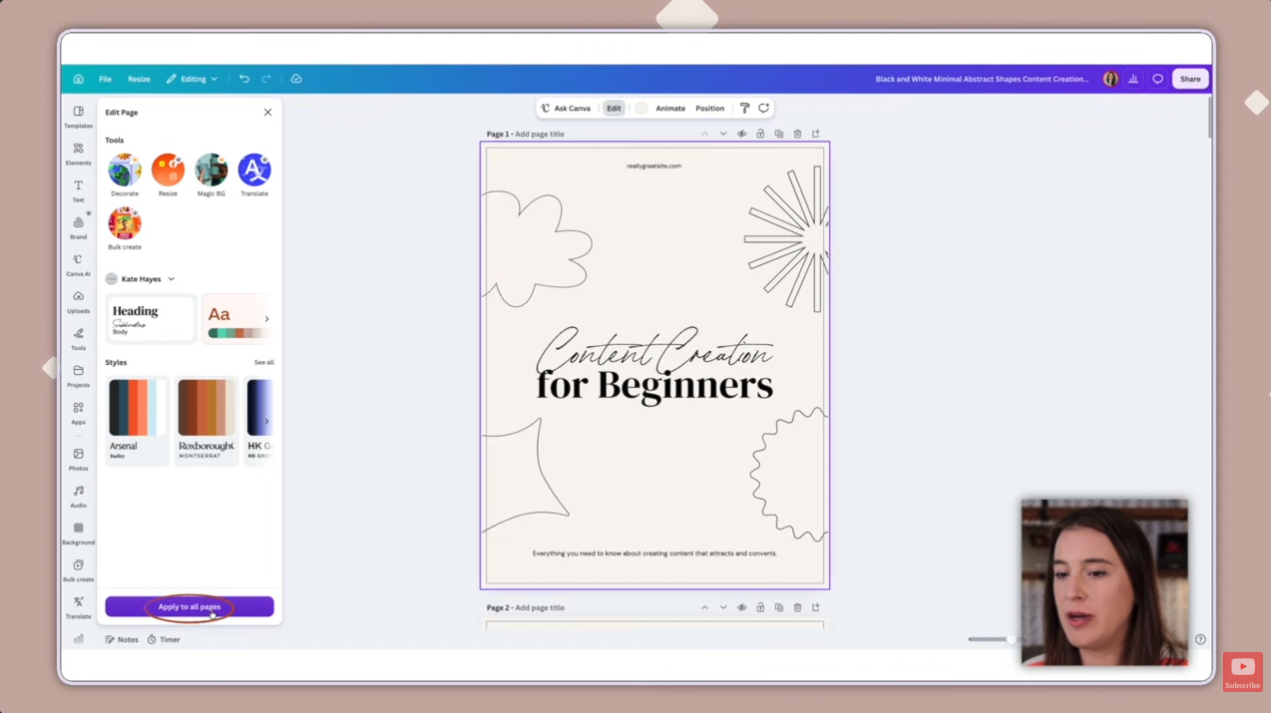
Now make it yours. Instead of changing fonts and colors page by page, apply your brand kit all at once.
- Select the first page and click Edit at the top.
- In the menu on the left, apply your brand kit's text style to set your fonts, then choose apply to all pages.
- Do the same with your brand kit colors.
Scroll through and your whole template now matches your brand. Haven't built a brand kit yet? Here's my Canva brand kit tutorial. Canva Pro also lets you build multiple brand kits, which is handy if you run more than one brand.
Once it looks right, copy the template's URL from the top of your browser. You'll need it for the next step.
How do you get Claude and Canva AI to design the ebook?
Claude wrote your content. Now Claude writes the design instructions for Canva AI.
Back in your Claude chat, say you want to create this ebook using your Canva template and paste in the template URL. Then ask for a complete, detailed prompt you can give Canva AI to create the ebook with your exact content in that template. Ask for clarifying questions here too. I'd rather answer a few questions up front than waste time on back-and-forth revisions.
Before you send it, read through the ebook content Claude wrote. Make sure it says what you actually think, and edit anything that's off. Fix it now, not after the design is built.
- Answer Claude's clarifying questions. It will generate your Canva AI prompt.
- Click copy.
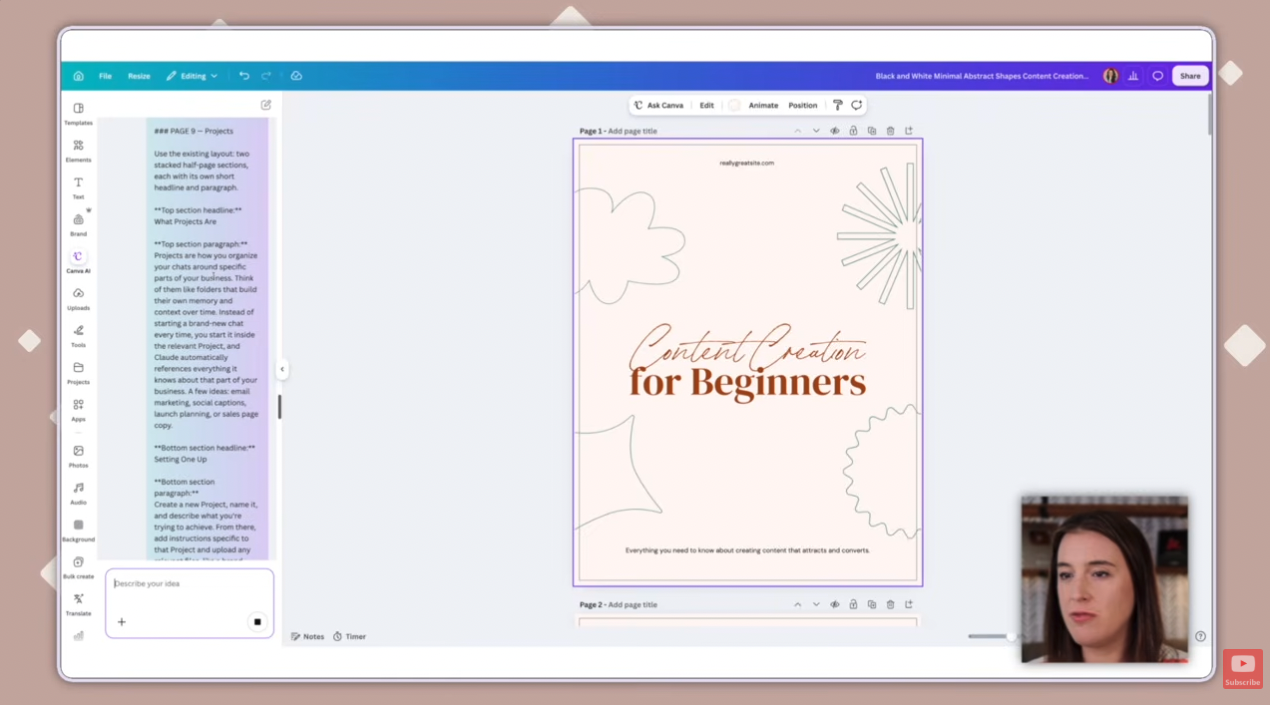
- In your Canva template, open Canva AI from the left menu.
- Paste the prompt into the prompt box.
Because the prompt is so detailed, Canva AI doesn't have to guess what goes on each page. It fills in your template with your content and sticks to your brand fonts and colors.
Then look it over. Adjust the formatting or swap out an element if you want to. Open Elements on the left, drag in a new graphic (I tried a flower), and drop it where you want it.
How do you export your ebook as a PDF?
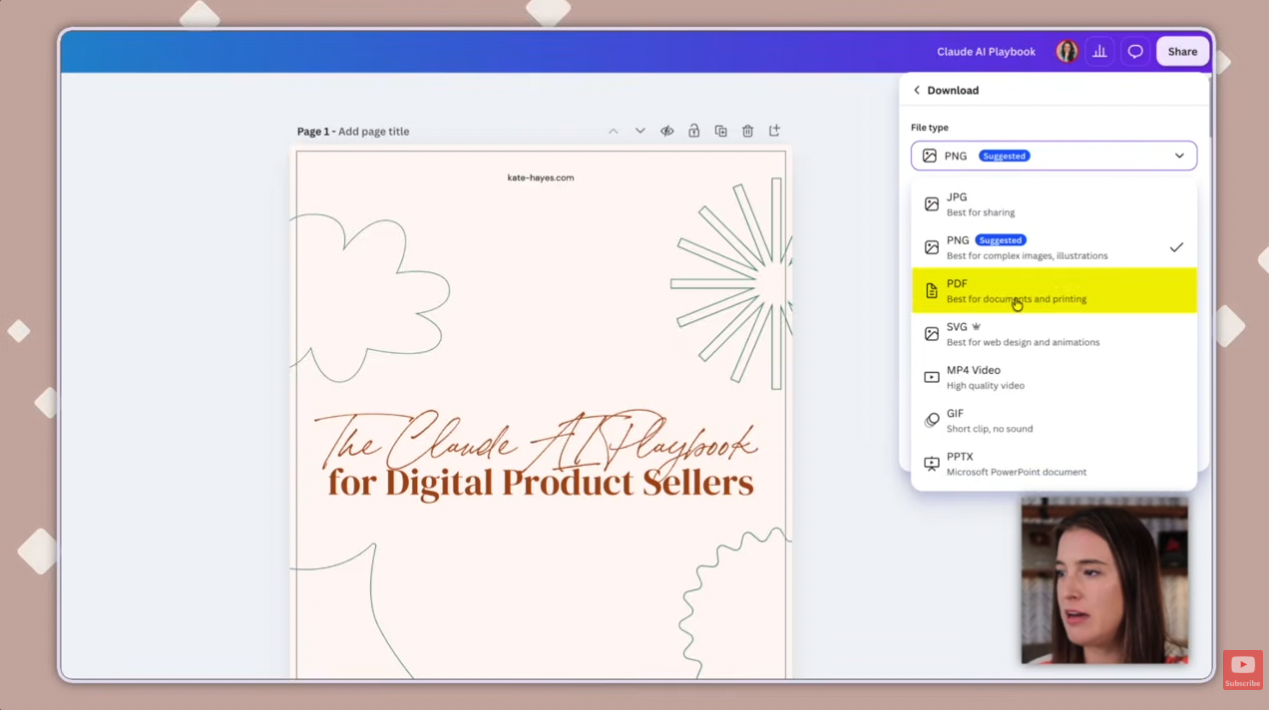
Click the title at the top right and give your design a new name. Mine was the Claude AI Playbook. Then click Share, then Download, and choose PDF under file type. Check the settings, click Download, and your finished ebook file is done.
How do you make ebook mockup images for your product listing?
A mockup is the image you put on your product listing or sales page so buyers can picture what they're getting. You'll want a few of them.
- Download each ebook page as its own image. Click Share, then Download, choose JPG, and download all pages or one page at a time.
- Go back to Canva's Templates, search "ebook mockup," pick one you like, and click Customize this template.
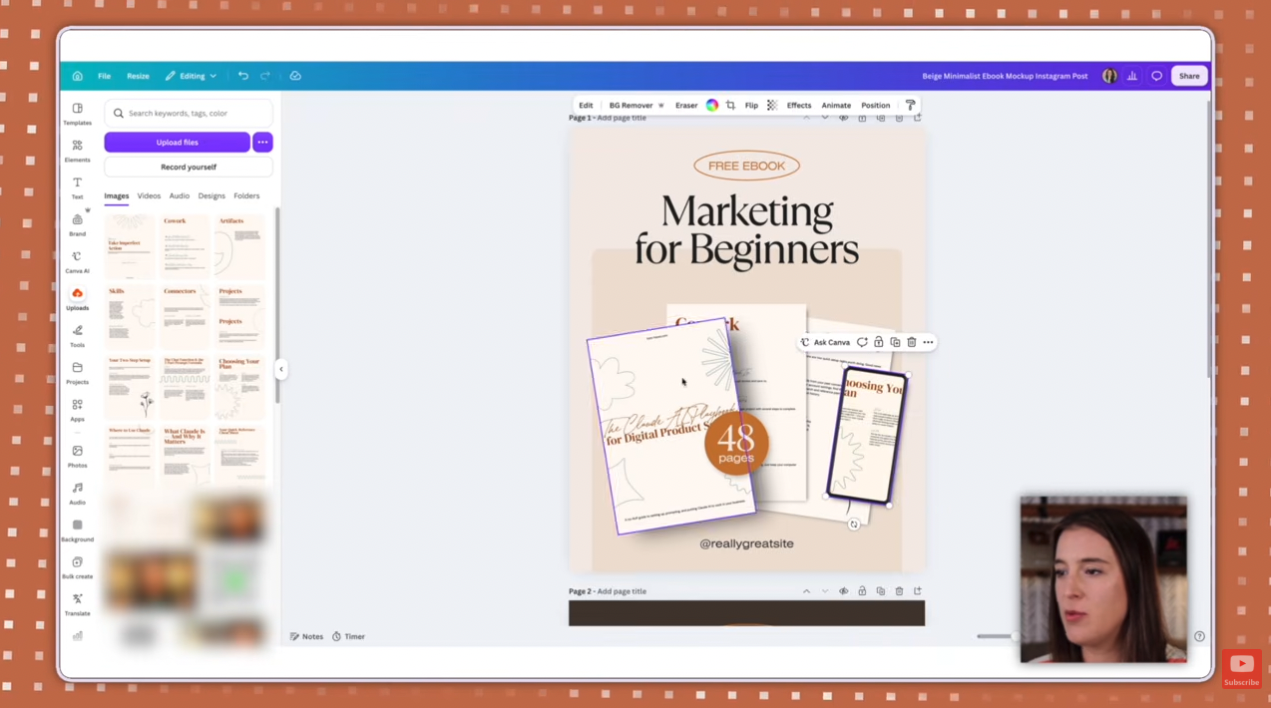
- Click Uploads on the left, choose upload files, and select your page images.
- Drag each page image over the photos in the mockup. They snap into place. Double-click an image to reposition it inside its frame.
- Edit the text, fonts, and colors to fit your ebook. My title was Claude AI Playbook.
- Click Share, then Download. Choose PNG and toggle on transparent background if you're placing the mockup on a sales page. Transparent background is a Canva Pro feature, and JPG is the next best option if you don't need it.
Run this process a few times. Different angles and viewpoints give buyers a better look at the product. You can also make infographic-style mockups with text describing what's inside your ebook.
How do you keep an AI-written ebook from sounding generic?
Three things made the biggest difference for me:
- Give context up front. Tell Claude who you are, who you're writing for, and what the ebook is for.
- Start from your own ideas. Content you've already created, like a video transcript or blog post, brings your own system into the ebook instead of leaving everything to the AI.
- Review before you design. Read the draft, make sure you agree with it, and edit it before you hand it to Canva AI.
The AI hands you a first draft in minutes. Making it yours is still your job.
What should you do after you create your ebook?
Get it in front of buyers. I break down four strategies in my guide on how to market digital products.
Still deciding what to make next? Ebooks are one option on my list of the best digital products to sell for beginners. And if you want to see Claude and Canva build other products, here's my walkthrough on making digital products with Claude and Canva.
Frequently Asked Questions
Can you really create an ebook with AI?
Yes. In this walkthrough, Claude writes the ebook content and Canva designs it, and the finished ebook exports as a PDF. The quality depends on what you give the AI, so use a detailed prompt, start from your own content, and review the draft before designing.
What AI tool should you use to create an ebook?
This walkthrough uses Claude for the content and Canva AI to place that content into a template. Claude can work from a detailed prompt and from your own uploaded content, like a video transcript, which is what keeps the ebook from sounding generic.
Do you need Canva Pro to create an ebook this way?
Some steps need it. Templates marked with a crown and transparent-background PNG exports require a Canva Pro plan, while templates without a crown are free. Canva offers a free 30-day Pro trial if you want to try it.
Can you turn a video transcript or blog post into an ebook?
Yes. In the walkthrough, I pasted the transcript from one of my YouTube videos into Claude and asked it to turn the video into ebook content. Videos, blog posts, and articles you've already created all work as source material.
What should you put in your Claude prompt for an ebook?
Include who you are, who your audience is, what kind of business you run, and your goal for the ebook. Then ask Claude to ask you clarifying questions before it writes. You can also have Claude turn your answers into a full prompt and paste that prompt into a new chat.
How many mockup images do you need for an ebook listing?
A few. Use different angles and viewpoints so buyers can picture the product, and consider an infographic-style mockup that lists what's included.
How long does it take to create an ebook with AI?
The hands-on workflow in this walkthrough takes under 10 minutes. That doesn't include the time to review and edit the content, which you should do before you design anything, so plan for more if your ebook needs revisions.
Want to build more products with AI?
Kate AI shows you how to use tools like Claude and ChatGPT to create products, write your marketing, and run your business. It's made for digital product sellers who want to move faster.
So — what would your first ebook be about? Hit reply on my next email and tell me. I read every one.
Not on my list yet? Grab the Claude Starter Pack and you'll be automatically added!
