
10 Best Digital Products to Sell for Beginners in 2026 (With Real Price Ranges)
Sep 07, 2026The best digital products to sell for beginners are the ones you can make quickly, deliver instantly, and build with tools you already know how to use. That list includes Canva templates, ebooks, Google Sheets templates, printable wall art, printable activity bundles, mini courses, Notion templates, logo and branding kits, memberships, and AI coach clones. Most of them sell for between $5 and $199, and several can be created in a single afternoon. The format matters less than the problem it solves — a specific product built for a specific person outsells a general one almost every time.
Key takeaways
- Templates and printables are the easiest place to start — low cost, low skill barrier, fast to make.
- Single templates and printables typically sell for $5 to $50. Mini courses, bundles, and branding packages run from $27 up to $500.
- Higher price points almost always come with more active work. Custom logos and personalized art never become fully passive.
- Memberships and AI coach clones are the only two formats on this list that create recurring monthly revenue.
- Of the 253 respondents in the 2026 Digital Product Sellers Survey, 87% said they want to add more products to their lineup — only 13% were happy with what they already offer.
Here's the thing nobody tells you when you're starting out.
Thousands of people are jumping into digital products right now. Most of them are creating the wrong kind of product, then wondering why the sales aren't coming. Meanwhile other people are quietly launching simple products — some built in a few hours — that bring in sales every single day.
I've sold digital products for years, and the pattern hasn't changed: the product type you pick shapes everything that comes after it. So let's go through the ten that are genuinely worth your time, what each one actually sells for, and the honest downside of each.
Heads up — some links below are affiliate links, which means I may earn a small commission if you buy through them, at no extra cost to you. I only recommend tools I actually use.
What makes a digital product a good fit for a beginner?
Four things. A beginner-friendly digital product:
- Uses tools you already know — or can learn in an afternoon, like Canva or Google Docs
- Solves one specific problem for one specific person, not five problems for everyone
- Delivers instantly with no shipping, no inventory, no customer service marathon
- Can be sold more than once without you rebuilding it each time
Anything that ticks all four is a good first product. Anything that misses two or more is a project, not a product.
Watch the full breakdown on YouTube →
What are the best digital products to sell for beginners?
1. Mini courses — $27 to $197
Best for: anyone who already knows how to do something other people keep asking about.
Not a full, comprehensive course. A mini course — one specific problem, one specific customer, done. Instead of a whole Instagram course, teach Instagram Reels. Instead of a full dog training program, teach how to get your dog to perform commands. People buy these when they want a quick win and the shortest path to it.
Tools: Canva for slide decks, Loom or QuickTime for screen recordings, and your phone plus Descript for any talking-head video.
Where to sell: Udemy if you want a marketplace, or host it yourself on Kajabi, Teachable, or Thinkific. Kajabi is what I use for all of my courses.
The honest downside: it takes more time to build than anything else on this list, and if you're selling from your own website, it needs real marketing behind it. Nobody stumbles onto a course.
2. Google Sheets templates — $5 to $39
Best for: spreadsheet people. If formulas don't scare you, this is a wide-open lane.
These are ready-to-use spreadsheets that help people track data, manage money, or organize a workflow without building the system themselves. Think e-commerce profit calculators, social media planners, budget trackers. Entrepreneurs, creators, and honestly just regular families buy these constantly.
Tools: Google Sheets to build it, plus Canva for a simple instruction sheet telling the buyer how to access and use their copy.
Where to sell: Etsy, Gumroad, or your own shop on Shopify, which gives you far more customization than a marketplace.
The honest downside: you need actual spreadsheet knowledge. Formulas, linked cells, conditional formatting — especially for anything financial. This isn't the one to pick if you've never built a formula.
3. Canva templates — $5 to $25 each, up to $79 for a bundle
Best for: almost everyone. This is the biggest category in digital products for a reason.
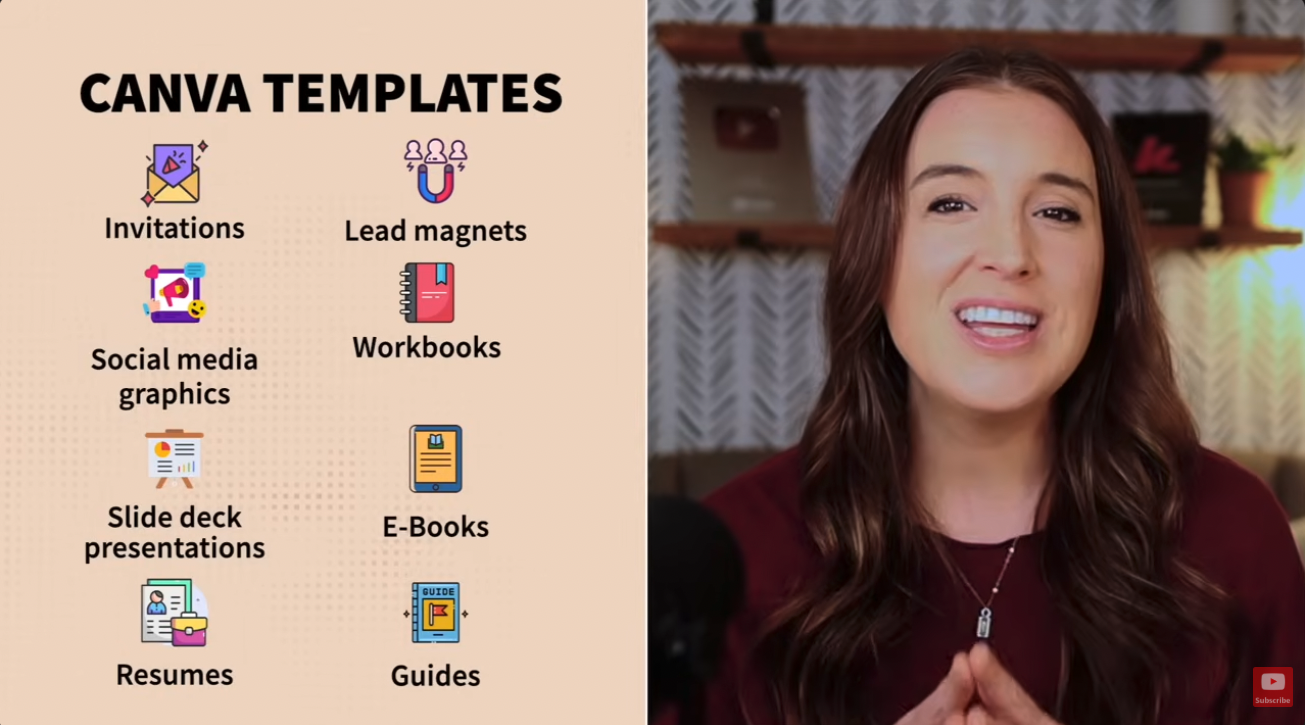
Invitations, social media graphics, slide decks, résumés, lead magnets, workbooks, ebooks, guides — Canva does all of it. Tons of people love Canva but don't want to start from scratch, and they don't want the built-in library templates because everyone else is already using those. So they buy a custom one. Maybe yours.
Tools: just Canva — but you need Canva Pro to generate the template link you deliver to buyers. That link doesn't exist on the free plan. There's a free 30-day Pro trial if you want to test it before committing.
Where to sell: Etsy is where people instinctively search for Canva templates. Creative Market and your own website also work well.
The honest downside: it's competitive, depending on the template type. And you do have to learn Canva properly — a template that isn't genuinely beautiful won't sell.
Not sure which of these fits you — or how you actually get sales once the thing is made? I made a free 45-minute masterclass walking through my whole system for starting and growing a profitable digital products business, including how to get sales from day one.
4. Ebooks — $7 to $49
Best for: anyone with knowledge they can explain in depth. Recipe books, homeschool guides, fitness programs, parenting how-tos.
An ebook solves the problem of someone wanting structured guidance without buying a whole course. Think about what people already ask you about. If you can teach it, you can write it.
Tools: gather everything in a Google Doc first — you can use Claude or ChatGPT to brainstorm the outline, then bring your own ideas and expertise into it. Then paste it into Canva to build the pages and design the cover.
Where to sell: Etsy, Gumroad, or your own site. You can also publish a physical version through Amazon KDP and charge more for it, which lets you serve two different buyers with one piece of work.
The honest downside: the market is saturated. You need a real angle, not just "a book about X." And like courses, it needs marketing — an ebook nobody knows about sells zero copies.
5. Memberships — $9 to a few hundred per month
Best for: people who like showing up regularly and don't want to keep launching new things.
A membership is anything people pay for on a recurring basis to keep getting access — coaching, resources, training, community. It can be as simple as one template delivered weekly for $9 a month, or as robust as a full community with live trainings and coaching sessions.
The key is niching it. A membership that appeals to everyone appeals to no one. I run a monthly coaching group where I go live once a month teaching Canva design and business strategy — mine's a one-time payment, but the same structure works beautifully on a monthly plan.
Tools: Facebook groups, Kajabi (it hosts communities as well as courses), Circle, or honestly just email if your content can be emailed.
The honest downside: two things. It needs ongoing content from you forever, and churn is normal. People join, get what they came for, and leave. That's not failure, it's the model — but it surprises people.
6. Notion templates — $9 to $49 each, up to $199 for bundles
Best for: people already using Notion who've built systems they could package.
Notion templates are pre-built dashboards that organize projects, tasks, and life systems. Content planning systems, goal trackers, business project management dashboards. Same logic as every template on this list — people want the system without building it.
Tools: Notion. That's it.
Where to sell: Notion has its own built-in marketplace, plus Etsy, Gumroad, or your own site.
The honest downside: there's a real learning curve. You can't hop into Notion for the first time and build a sellable template in an afternoon. But that barrier is exactly why these command higher prices than a basic printable.
7. Logo design and branding packages — $25 to $500+
Best for: people with actual design skills who don't mind client work.
This one has three tiers. Pre-made logos you customize lightly for each buyer sell for $25 to $75. Fully custom logos, built from scratch with revision rounds, go for $50 to $150. A complete branding package — sub-logo, website banner, flyers, marketing assets — can run upwards of $500.
Tools: Canva, Adobe Illustrator, or Affinity Designer.
Where to sell: Creative Market and Etsy for pre-made designs. Fiverr if you want to list yourself for custom work.
The honest downside: this never becomes passive. Even the pre-made logos need names and fonts swapped for every customer. If passive income is the whole point for you, this isn't your product.
8. Personalized printable wall art — $15 to $50 per piece
Best for: anyone who wants premium pricing on a printable.
This is digital artwork customized with names, dates, or photos that the buyer downloads and prints. Wedding vow prints, baby birth stat prints, family name signs, pet portraits. People are always looking for a gift that feels thoughtful but can be sorted out quickly — this is exactly that.
Tools: Canva or Photoshop, and AI tools like Google's Nano Banana can help with the imagery.
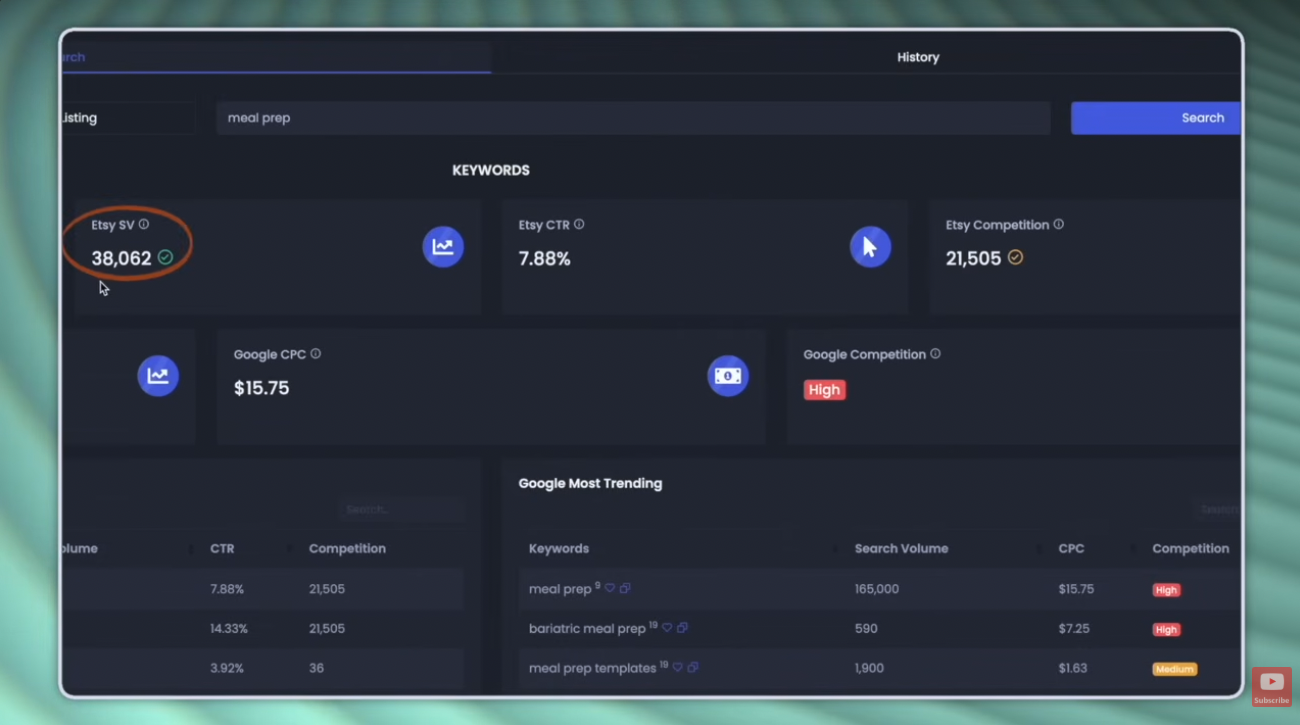
Where to sell: Etsy, hands down. Millions of shoppers are already there searching for personalized gifts. If you go that route, get your listings SEO'd properly — I use Sale Samurai to check what people actually search on Etsy and how much competition each phrase has. There's a free 3-day trial, and code KATE20 takes 20% off if you keep it.
The honest downside: personalization means active work on every order, plus revision requests if you offer them. Premium price, ongoing effort.
9. Printable activity and curriculum bundles — $10 to $150
Best for: teachers, homeschool parents, and anyone comfortable creating learning material.
Instant-download activity sheets and curriculum for kids and homeschool families. Homeschool curriculum packs, kids activity bundles, Bible study worksheets, preschool learning packets. The key is selling bundles, not single sheets — that's where the price jumps.
Tools: Canva if you want them visual, Google Docs if the content matters more than the graphics.
Where to sell: Etsy, your own site, or Teachers Pay Teachers, which exists specifically for this.
The honest downside: a robust bundle takes real time to build. But once it's done it sells over and over, and these buyers often come back for more packs — repeat customers are common here.
10. AI coach clones — $25 to $99 per month
Best for: coaches, experts, and trainers who already have a body of content.
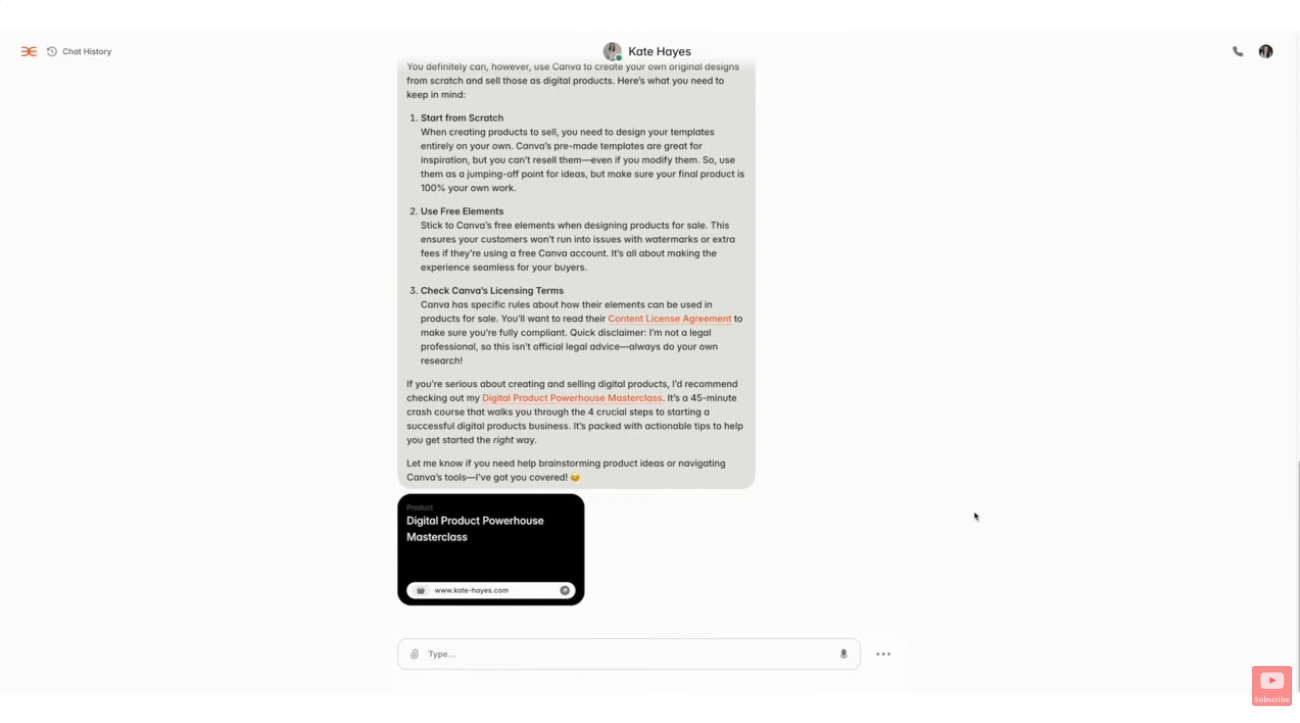
This is my favorite one, and most people haven't caught on to it yet. An AI coach clone is an AI-powered assistant trained to give guidance the way you would. Mine is called Kate AI — it's trained on every lesson, course, and video I've ever made, so it knows my business strategy and what I'd tell a client in a one-on-one session. It's even trained on my voice, so people can text it or call it.
It solves a real problem for me. I can't offer one-on-one coaching to everyone who wants it, and the few slots I do have carry a high price tag. This gives people that experience at a fraction of the cost.
Tools: I built mine on a platform called Delifi. There are a few options out there worth comparing before you commit.
Where to sell: as its own product, or as an upsell alongside a course or coaching program you already run.
The honest downside: you pay a monthly platform fee to host it. As long as you're covering that, you're profitable — but it's a real cost from day one, unlike a printable.
How much do digital products actually sell for?
Here's every product on this list side by side, so you can weigh price against effort in one place.
| Product | Typical price | Ongoing work? |
|---|---|---|
| Canva templates | $5–$25 ($79 bundles) | None once made |
| Google Sheets templates | $5–$39 | None once made |
| Ebooks | $7–$49 | None once made |
| Notion templates | $9–$49 ($199 bundles) | None once made |
| Activity & curriculum bundles | $10–$150 | None once made |
| Personalized wall art | $15–$50 | Yes — per order |
| Logos & branding | $25–$500+ | Yes — per client |
| Mini courses | $27–$197 | Marketing only |
| Memberships | $9–$200+/month | Yes — ongoing |
| AI coach clone | $25–$99/month | Minimal after setup |
Which digital product should a beginner start with?
Start with a template or a printable. Specifically a Canva template, a Google Sheets template, or a printable of some kind.
Three reasons. The tools are free or nearly free, the skill barrier is low enough to clear in a weekend, and there's a marketplace already full of people searching for exactly that thing — which means you don't need an audience before you make your first sale.
The data backs this up too. Among the 253 respondents in our 2026 seller survey, printables were the single most wanted product to add next at 53%, with Canva templates close behind at 40%. That's demand from people who are already in this world and know what they'd buy.
Then here's the part people get wrong: they think they need a huge catalog before anything happens. They don't. I broke that down separately in how many digital products you actually need before your first sale, and the answer surprises most people.
Pick one. Make it genuinely good. Then add the next one.
Where should beginners sell digital products?
You've got two real options, and they work differently.
Marketplaces — Etsy, Gumroad, Creative Market, Teachers Pay Teachers, Notion's marketplace, Amazon KDP. People are already there searching. You don't need traffic of your own, which is why most beginners should start here. If Etsy's your pick, I walk through the whole setup in how to start an Etsy shop in 2026.
Your own website — Shopify, Kajabi, or a simple sales page. More control, better margins, no marketplace fees. But you're responsible for every single visitor, which is a much harder job on day one.
My honest take: start on a marketplace, build your own shop once you know what sells. Doing both at once splits your attention when you need it in one place.
Frequently asked questions
What is the easiest digital product to make as a beginner?
A Canva template or a simple printable. Both can be built in a few hours using free tools, and neither requires any technical skill beyond learning your way around Canva. Google Sheets templates are equally simple if you're already comfortable with spreadsheets, but skip them if formulas aren't your thing.
How much should I charge for my first digital product?
Look at the price range for your product type in the table above and start in the lower-middle of it. A single template at $5 to $15, a printable at $10 to $20, an ebook at $7 to $20. You can raise prices once you have reviews and know the product delivers. Just don't price at $2 hoping volume fixes it — very low prices signal low quality to buyers.
Do I need Canva Pro to sell Canva templates?
Yes. The free plan can't generate the template link you deliver to buyers, which is the entire product. Canva Pro has a free 30-day trial, so you can create and list your templates during the trial and decide afterwards whether to keep it.
Do I need an audience before I sell digital products?
Not if you sell on a marketplace. Etsy, Gumroad, and Teachers Pay Teachers all bring their own traffic, and buyers find you through search rather than through following you. You need an audience for products sold from your own website — courses, memberships, and ebooks especially.
Can I sell the same digital product on more than one platform?
Usually yes, as long as you're not signed to an exclusivity agreement. Plenty of sellers list on Etsy and Gumroad at the same time. That said, spreading yourself across four platforms early usually means doing all of them badly — get one working first.
Which digital products create recurring income?
Memberships and AI coach clones are the two on this list that bill monthly, which means revenue that compounds rather than resetting to zero every month. Everything else is one-time revenue per sale, though a product with steady traffic can produce very consistent income even without a subscription.
How long does it take to create a digital product?
A single Canva template or printable takes a few hours. An ebook or a bundle takes days to weeks depending on scope. A mini course is the biggest lift here — expect weeks, not days. That's exactly why starting small matters: a finished simple product beats a half-built ambitious one every time.
Ready to actually build the thing?
If you know you want to sell digital products but you're stuck on what to make — or you've already started and the sales just aren't showing up — my free 45-minute masterclass covers both sides. How to create products people actually want, and the exact system I use to get sales from day one.
So — which one of these ten are you actually going to make? Hit reply on my next email and tell me. I read every one.
Not on my list yet? Grab the free Digital Products Masterclass and you'll be automatically added!
