
How to Start an Etsy Shop in 2026 (Step-by-Step Setup Guide)
Sep 01, 2026You start an Etsy shop in 2026 by creating an Etsy account, choosing your shop preferences and name, connecting a bank account for payouts, verifying your identity through Etsy's ID check, and paying a one-time $29 setup fee. The full setup takes about 15–20 minutes of active work, though identity verification can take an extra 1–3 business days. No listing is required to finish opening the shop — you can add products afterward.
Key Takeaways
- Opening an Etsy shop costs a one-time $29 setup fee — that's the only cost due right now.
- Active setup takes about 15–20 minutes, but identity verification can add 1–3 business days.
- Have a government ID, a bank account and routing number, and a credit card ready before you start.
- Etsy Plus ($10/month) is optional. You don't need it to open or run your shop.
- You don't have to create a listing during setup — Etsy lets you open the shop first and add products after.
I remember opening my first Etsy shop and just staring at the screen, waiting for someone to jump out and tell me I was doing it wrong. Spoiler alert: you're not going to mess this up. It's mostly clicking "continue" and filling in fields, and I'm walking you through every single one.
Real talk — in my own 2026 Digital Product Sellers Survey, 65% of sellers in my audience who'd already launched something were selling on Etsy (109 of 167). It's still where most people start, for real.
Heads up — some links below are affiliate links, which means I may earn a small commission if you buy through them, at no extra cost to you. I only recommend tools I actually use.
What do you need before you open an Etsy shop?
Before you touch a single form, get these ready so you're not scrambling mid-setup:
- A government-issued photo ID (driver's license or passport)
- A bank account and routing number for payouts
- A credit card for the one-time setup fee
- An idea for your shop name (4–20 characters, no spaces or special characters)
- About 20 minutes where nobody's going to interrupt you
Ready? Here's the fastest way in — click here to open your Etsy shop and grab your first 40 listings free before you start. That's Etsy's own new-seller offer, so grab it while it's live.
How do you create your Etsy account and set your shop preferences?
Once you click through, you'll put in your email, create a password, and click register. Etsy asks a few quick questions — what brings you to Etsy, what you're interested in selling — you can click through these fast.
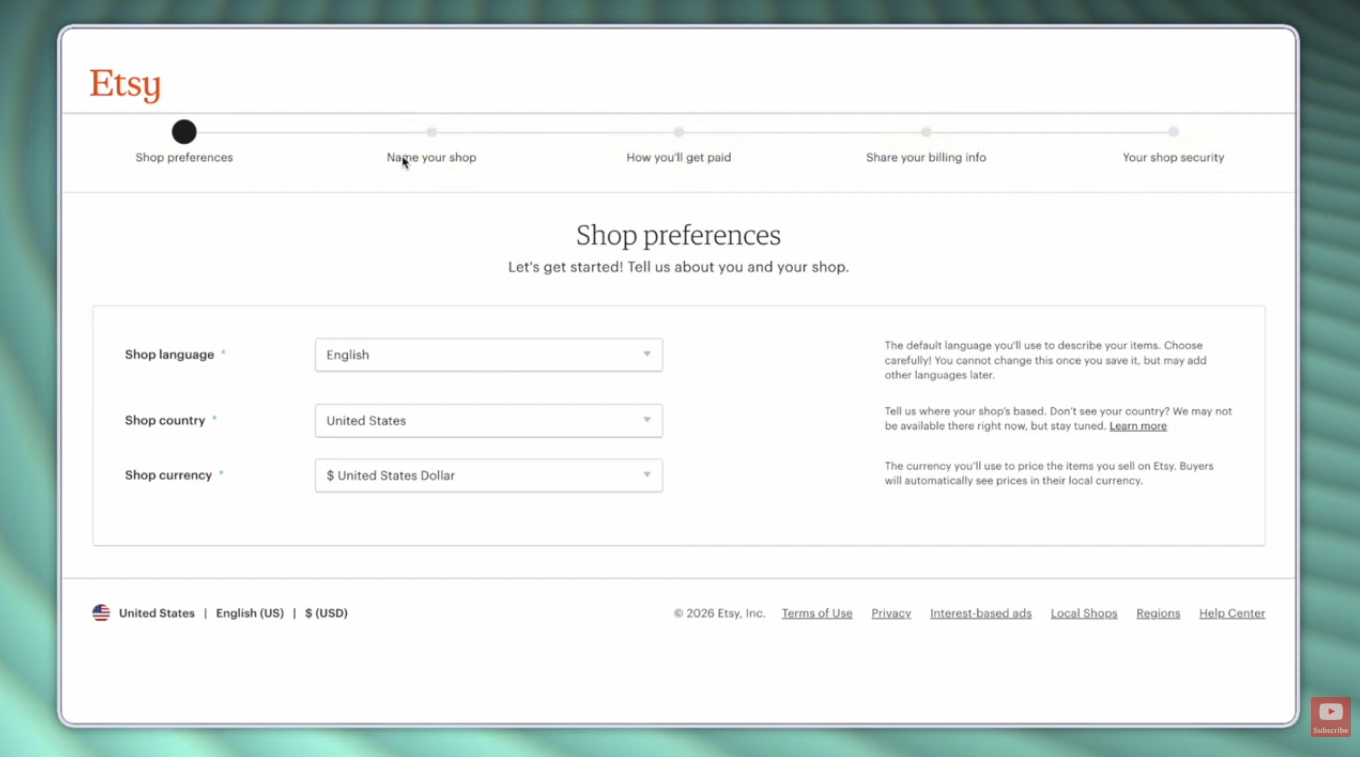
Then you'll land on shop preferences. This is where you pick your shop language, category, and currency from drop-down menus. Choose carefully — your shop language can't be changed later.
Next is naming your shop. You get 4 to 20 characters, no spaces, no special characters, no accented letters. If you've got multiple words in mind, you'll need to squish them together without spaces. If your first choice is taken, Etsy will suggest alternatives or let you try again.
Watch the full setup on YouTube →
How do you connect your bank account and get paid?
This is where you enter your financial information so Etsy knows where to send your money. You'll choose your bank's location, then answer a quick tax question — most new sellers select individual or sole proprietorship rather than incorporated business.
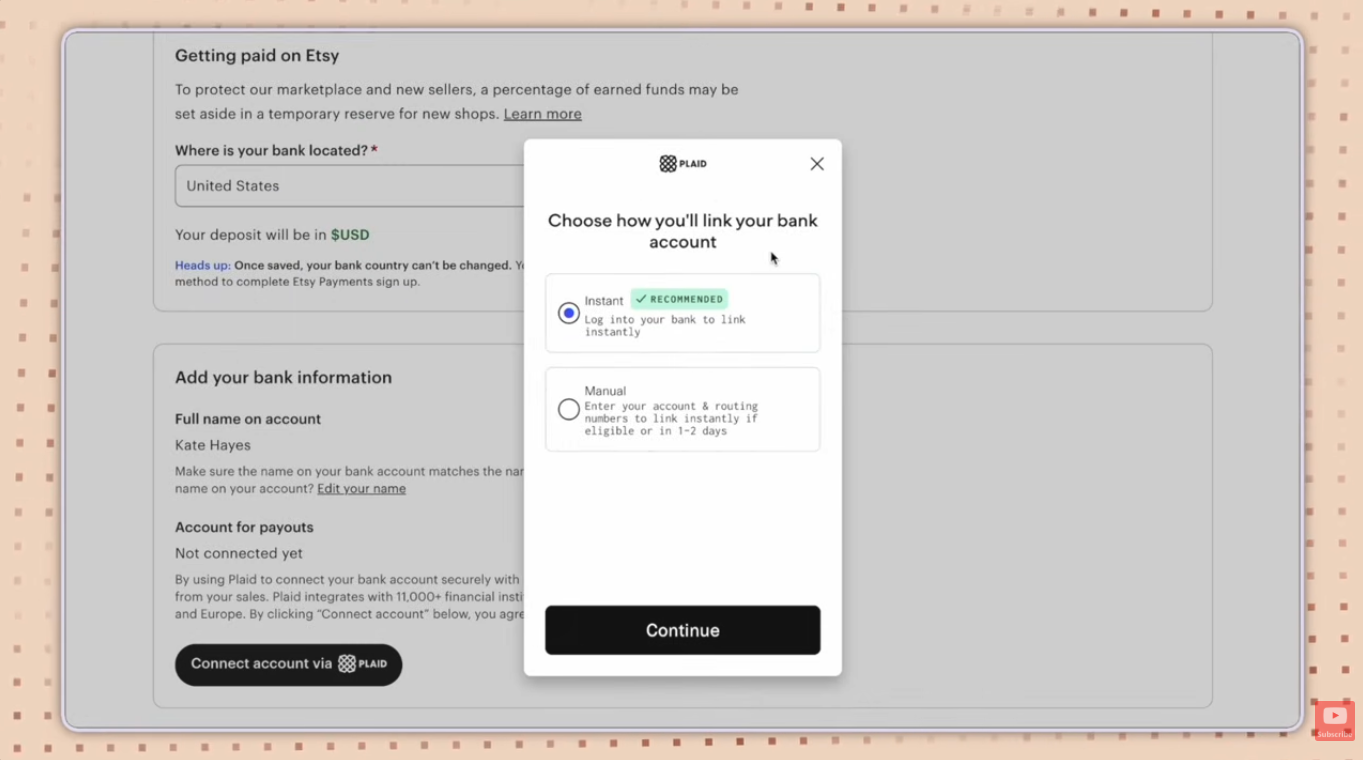
You'll fill in your name, date of birth, Social Security number, taxpayer address, and phone number. Then you'll connect your actual bank account using Plaid, the tool Etsy uses to securely link over 11,000 financial institutions across the US, Canada, UK, and Europe.
One thing that trips people up: the name on this page has to match your bank account name exactly, or the connection can fail. Etsy recommends the instant option, which logs into your bank directly instead of manually entering your account and routing numbers.
Quick heads-up: Etsy may hold a percentage of your early sales in a temporary reserve. This is normal for new shops — it protects the marketplace, and it lifts once you've built a track record of fulfilling orders on time.
How does Etsy verify your identity?
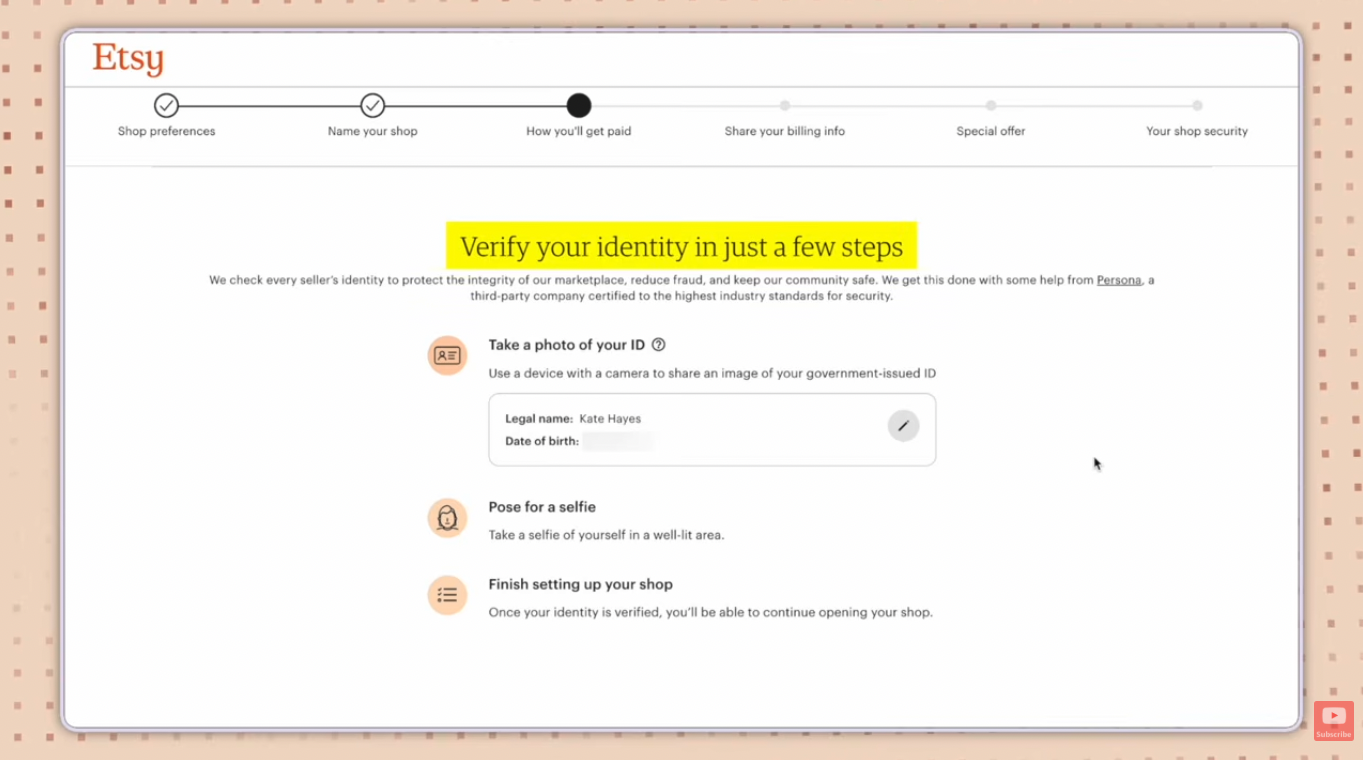
Etsy verifies every new seller's identity using a third-party company called Persona. You'll take a photo of your government ID, then take a selfie, and Persona's face-matching technology confirms they're a match.
You can choose express review, which uses that face-scanning technology and is usually faster, or manual review. If you're doing this on your phone instead of your computer, Etsy can text or email you a secure link so you don't have to download anything extra.
Once you submit your photos, expect a response within 1 to 3 business days. You can't finish opening your shop until this clears, so this is the one step where patience is the whole game.
What does it cost to open an Etsy shop?
There's exactly one fee due right now: a one-time $29 setup fee, charged to the credit card you enter on the billing page. Selling fees — listing fees, transaction fees, payment processing — only kick in once you start listing and selling. They're not part of opening the shop itself.
Right after you pay, Etsy will offer you Etsy Plus for $10/month. It's completely optional. If you sign up, Etsy credits your $29 setup fee back after 6 months on the plan, plus gives you 15 listing credits and $5 in Etsy ad credits. Skip it for now if you're not sure — you can always add it later.
Feeling like this is a lot to keep track of?
My free Etsy Success Guide breaks everything in this post down into one simple checklist you can actually follow while you set up — no scrolling back through a blog post mid-signup.
How do you set up two-factor authentication on Etsy?
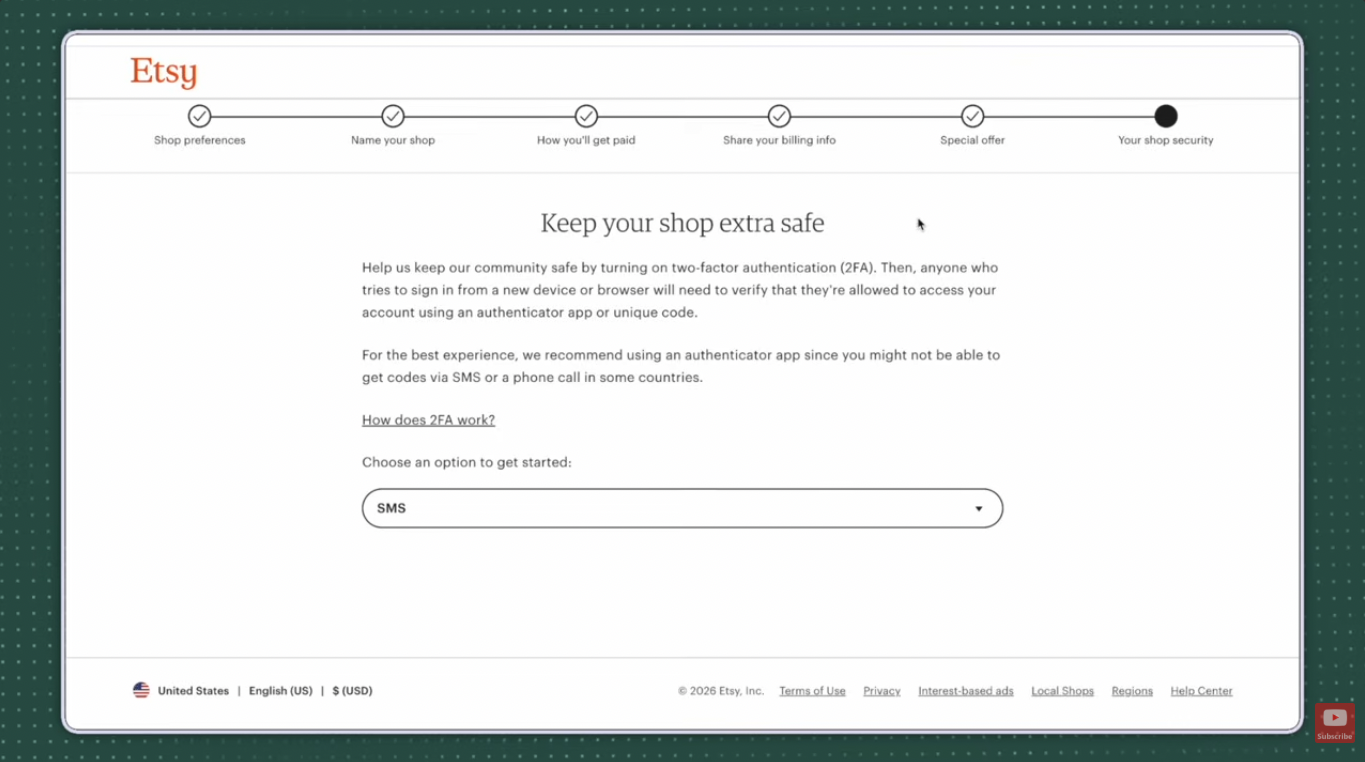
This is the last step, and Etsy makes it non-negotiable for new sellers. Two-factor authentication means anyone signing into your account from a new device has to verify it's really them, using either an authenticator app or a text/call code.
Etsy recommends the authenticator app, since SMS and phone codes aren't available everywhere. If you go that route, you'll download an authenticator app, scan a QR code (or paste in a key), and enter the six-digit code it generates to confirm the connection.
Once it's set up, Etsy gives you backup codes. Save those somewhere safe — they're your way back in if you ever lose the device you set this up with.
What should you do once your Etsy shop is open?
Once you finish setup, you'll land on your shop dashboard, and Etsy will tell you your shop is open for business. From here, spend some time in your shop manager getting familiar with the tabs on the left — this is mission control for your whole business.
You don't have to create a listing during setup anymore; Etsy pulled that requirement out of the flow. But when you're ready, your title, tags, description, category, and attributes are the five fields that matter most for getting your listings found in Etsy search.
Before you write a single listing, do some keyword research so you're using words buyers are actually searching. I use Sale Samurai to check search volume and pull related keyword ideas — code KATE20 gets you 20% off if you decide to keep it after the free trial. Try Sale Samurai free for 3 days.
Frequently Asked Questions
How much does it cost to open an Etsy shop in 2026?
There's a one-time $29 setup fee due when you open your shop. Ongoing selling fees — listing fees, transaction fees, and payment processing — only apply once you start listing and making sales. Etsy Plus, an optional $10/month subscription, is not required to open or run a shop.
How long does Etsy identity verification take?
Etsy verifies new sellers through a third-party company called Persona, using a photo ID and a selfie. Most verifications resolve within 1 to 3 business days, and you can't finish opening your shop until this step clears.
Do I need a business license to open an Etsy shop?
No. Etsy doesn't require a business license to open or run a shop. You're still responsible for following whatever local laws apply to your specific situation, so check with a professional if you're unsure.
What's the difference between choosing "individual" and "incorporated business" when opening an Etsy shop?
This choice is only used for tax verification purposes and doesn't affect how your shop functions. Most sellers select individual or sole proprietorship when they first open a shop.
Do I have to set up two-factor authentication to sell on Etsy?
Yes, Etsy has new sellers set up two-factor authentication as part of the shop setup process. You can choose SMS, a phone call, or an authenticator app, though Etsy recommends the authenticator app since SMS and phone codes aren't available in every country.
Why is Etsy holding some of my money in a reserve?
Etsy may place a percentage of a new shop's early earnings into a temporary reserve to protect the marketplace and reduce fraud risk. This is common for new sellers and typically lifts once you've built a track record of fulfilling and shipping orders on time.
Do I need to create a listing before I can open my Etsy shop?
No. Etsy removed that requirement from the setup process, so you can finish opening your shop and add your first listing afterward, whenever your products are ready.
Should I sign up for Etsy Plus when I open my shop?
It's optional. Etsy Plus costs $10/month and includes perks like listing credits and ad credits, plus a credit toward your $29 setup fee after 6 months. You don't need it to open or successfully run your shop, especially when you're just starting out.
Your shop is open. Now what?
Opening the shop is step one. Actually making sales is a different skill — and it's the whole reason I built my free Etsy Masterclass. I walk through the 5 Pillar Etsy Success Formula I used to build my own multiple six-figure Etsy business, completely free.
So — are you finally opening that Etsy shop you've been putting off? Hit reply on my next email and tell me. I read every one.
Not on my list yet? Grab the free Etsy Success Guide and you'll be automatically added!
