
How to Sell Digital Products with No Money (4 Simple Steps)
Sep 29, 2026You can sell digital products with no money by creating them in free tools like Canva or Google Sheets, listing them on a platform with no upfront or monthly fee that takes a small percentage only when you make a sale, and marketing them organically on one free platform such as Pinterest, YouTube, or Instagram. The four steps are: choose one niche and product type, pick a free creation tool, set up a shop with a simple checkout, and promote consistently without paid ads. Your main investment is time, not cash.
Key Takeaways
- You don't need a budget to start. Free tools cover creation, and fee-per-sale platforms cover selling.
- Niche down by product type or by customer so your shop looks focused, not random.
- Start small. You don't need a giant catalog to make your first sale.
- Use AI to work faster, but always edit and refine what it gives you.
- Market on one platform first, serve your ideal customer, and repurpose content later.
Real talk: the thing that stops most people from starting isn't skill.
It's believing they need money first.
You don't. No inventory. No shipping. No paid ads required. You need a product that solves a problem, a place to sell it, and a way to tell people it exists.
Here's exactly how I'd do it with a $0 budget.
Heads up — some links below are affiliate links, which means I may earn a small commission if you buy through them, at no extra cost to you. I only recommend tools I actually use.
Can you really start selling digital products with no money?
Yes. Digital products are files, templates, and content you create once and sell again and again. There's nothing to manufacture, store, or ship.
The tools to make them have free versions. Many selling platforms charge nothing upfront and take a small percentage only when you make a sale. Some marketplaces charge small listing fees, so check the fee structure before you pick one.
And marketing? It can be 100% organic.
What you do need is time, consistency, and a willingness to learn as you go. That's the real currency here.
Watch the full $0-budget walkthrough on YouTube →
What types of digital products can you sell?
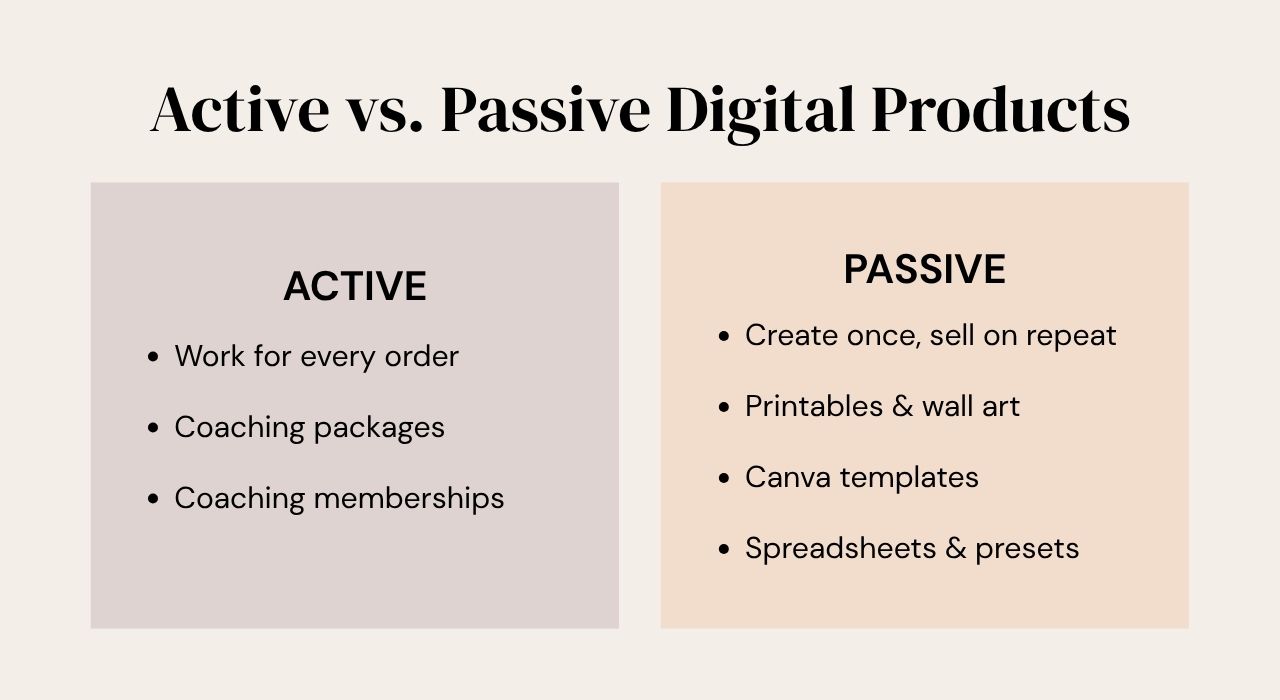
"Digital products" is a huge category. Some types need active work to fill each order. Others you create once, and they sell on repeat without you lifting another finger. That second group is where passive income comes from.
Here are the main types:
- Printables: anything the buyer downloads and prints, like ebooks, resource guides, wall art, stationery, and invitations.
- Templates: products the buyer edits digitally, like Canva templates for workbooks, presentations, or social media posts, plus system-specific templates for Notion or Trello.
- Spreadsheets: planners and trackers built in Excel, Google Sheets, or Canva Sheets.
- Online courses: teach what you know through recorded lessons.
- Coaching packages: more service-based and active, usually delivered with PDFs and guides you've created.
- Memberships: buyers pay monthly or yearly for ongoing coaching or fresh downloads.
- Creator tools: Lightroom presets, Procreate brushes, and other assets creators use.
- Stock photos and videos: your own images and footage, licensed to others.
Still deciding what to sell? I don't gatekeep — grab my free Digital Product Ideas Master List, with 100+ ideas broken down by niche and category.
What's changed about selling digital products in 2026?
How people create and shop for digital products looks very different than it did even a couple of years ago. Three shifts matter most.
1. AI-assisted creation is the new normal. Sellers using AI tools can create more, faster. You don't have to use AI for your entire process, but if you're not using it anywhere, you'll probably fall behind.
2. Buyers are tired of low-quality products. Plenty of sellers now list whatever AI gives them on the first try, with zero editing. Let's be real — that first output usually isn't great. Use AI, but review, refine, and edit every product before it goes live.
3. Buyers expect a smooth experience. They want instant access, products and shops that work on their phone, and a clean, simple checkout. That's why where you set up shop matters as much as what you sell.
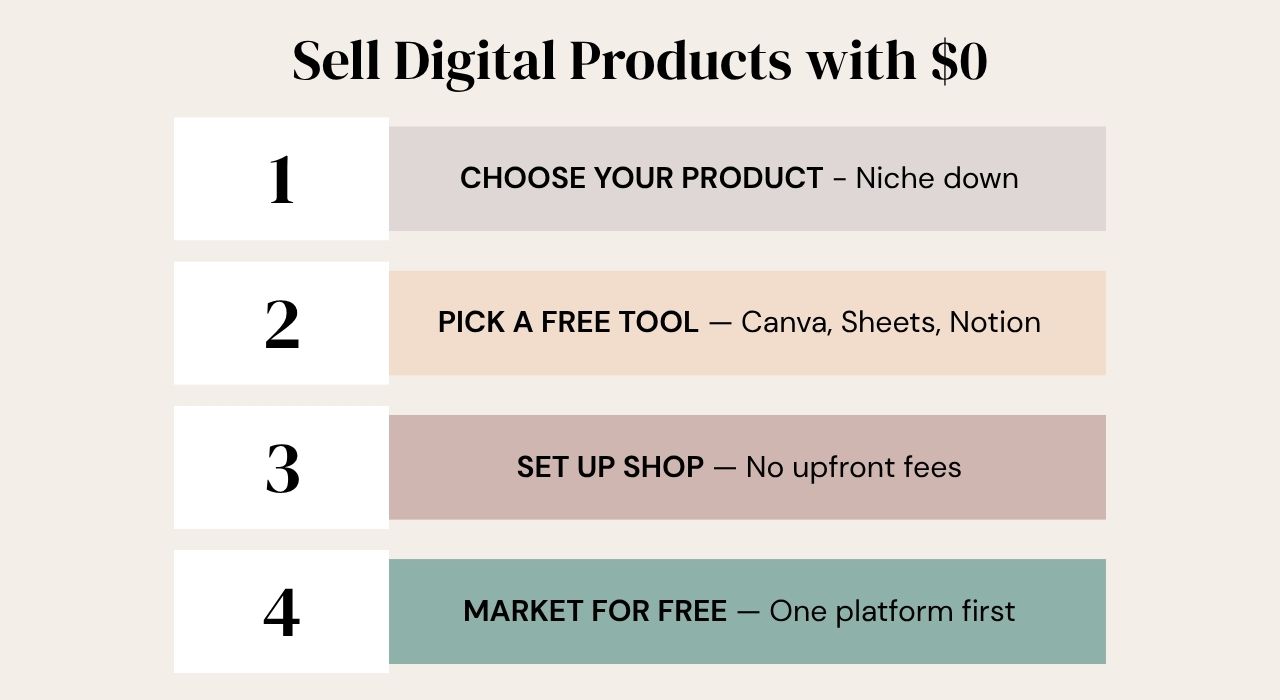
What are the 4 steps to sell digital products with no money?
- Choose your product type and niche down.
- Pick a free tool to create it.
- Set up shop on a platform with no upfront cost.
- Market and promote intentionally, without paid ads.
Step 1: How do you choose which digital product to sell?
Start with your ideal customer, not your favorite thing to make.
It's tempting to create what you like. But people buy solutions to their problems. So ask: what problem can I solve for my ideal customer with a product?
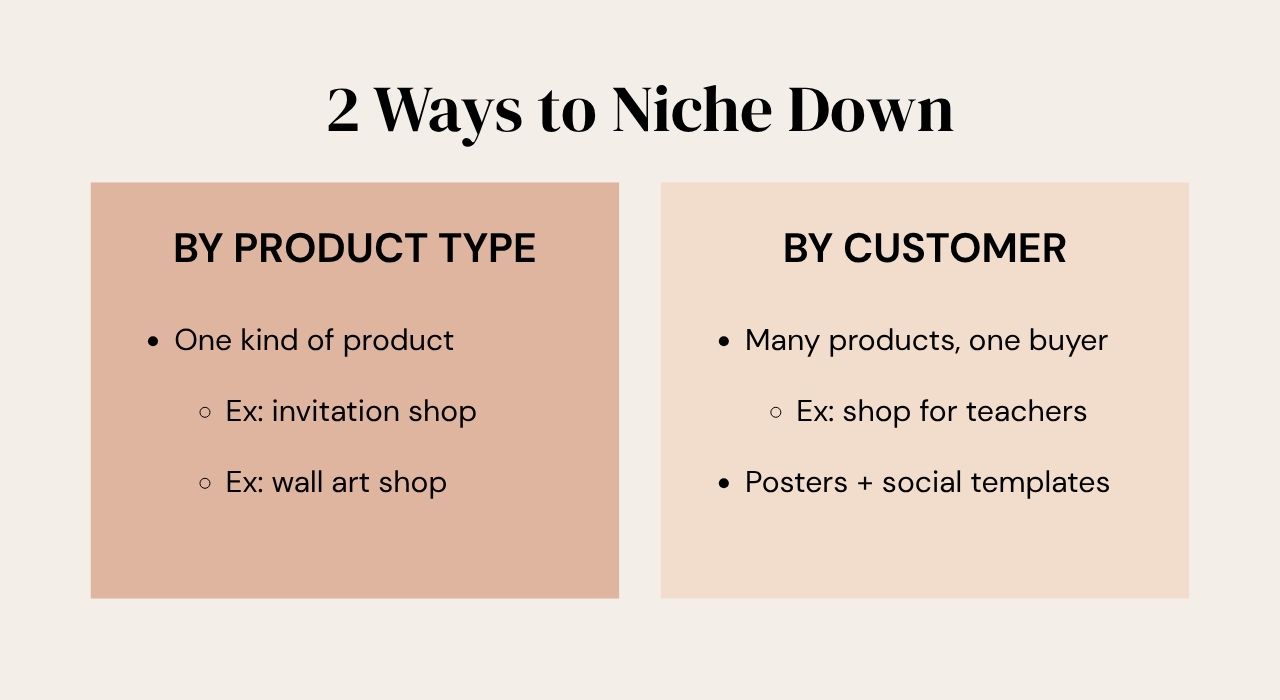
Then niche down. Try to offer everything for everyone and you'll appeal to no one. You can niche in two ways:
- By product type. Your whole shop is one kind of product, like an invitation template shop or a wall art shop.
- By target customer. You sell different product types that all serve one person. A shop for teachers might sell classroom wall art and posters and social media templates for teachers growing a following.
Either way, the goal is focus. A focused shop makes you look like the expert. A random one looks chaotic.
And spoiler alert: you don't need a massive catalog to get going. Among the 93 sellers in the 2026 Digital Product Sellers Survey who had made a sale, 57% made their first one with 10 or fewer products listed. I break that down in how many digital products you need to make your first sale.
Step 2: What free tools can you use to make digital products?
The right tool depends on what you're making. Most beginners can start with free versions of these:
- Canva: templates, wall art, invitations, ebooks, and most printables. The free plan is enough to start, and this link gets you a free 30-day Pro trial if you want the extras.
- Google Sheets or Excel: spreadsheet planners and trackers.
- The platform itself: Notion templates are built in Notion, Trello templates in Trello, and presets in Lightroom.
- Recording and editing tools: for online courses.
Pick one tool and get good at it. You can add more later.
Step 3: Where can you sell digital products for free?
You've got three main options for your online shop:
- A marketplace platform, where buyers are already shopping
- Your own website, where you control the look and the customer relationship
- Social media, selling directly to the audience you build
To keep it at $0, look for a platform with no monthly fee that takes a small percentage per sale. Once you're getting consistent sales, a paid monthly plan with lower or no percentage fees might make more sense. Your future self will thank you for starting lean.
Wherever you set up, your shop needs three things:
- Quality branding so the whole shop feels cohesive and professional.
- A clean, clear checkout that never feels clunky or complicated.
- Multiple payment options, like credit cards, PayPal, Google Pay, and Apple Pay. The more ways people can pay, the more of them will.
Step 4: How do you market digital products without paying for ads?
Marketing doesn't mean paid ads. It means putting your products in front of the right people, and there are tons of free ways to do that.
No one will buy from a shop they don't know exists. You have to tell them.
Sellers learn this the hard way. When we asked what respondents in our survey wished someone had told them before they started, "marketing matters as much as the product" was the #2 answer, named by 14% of the 165 who responded.
Here's how to do it without burning out:
- Pick one platform. Choose a social platform like Facebook or Instagram, or a search-based platform like YouTube or Pinterest. You don't need to be everywhere.
- Serve first. Post content that solves your ideal customer's problems. The more niche-specific it is, the faster you'll find traction.
- Repurpose when you expand. Turn one 10-minute YouTube video into several short clips for Instagram Reels instead of creating from scratch. Canva's video AI tools can pull the highlights for you automatically.
Want more free strategies? Here are 4 ways to market digital products that actually work.
Frequently Asked Questions
Do I need a website to sell digital products?
No. Marketplaces and storefront platforms handle hosting, payments, and file delivery for you. Many sellers start without a website and add one later once they have steady sales.
What's the easiest digital product to make as a beginner?
Printables and Canva templates are the easiest for most beginners. You can design them with Canva's free plan, and they don't require coding, filming, or technical setup.
Are digital products really passive income?
Some are. Printables, templates, and presets can sell on repeat with no extra work per order. Coaching and memberships are more active because you're delivering something ongoing.
Can I use AI to create digital products?
Yes. Use AI for ideas, drafts, and speed, then edit and refine the output yourself. Buyers notice when a product is low-quality, unedited AI work.
Do I need to be on every social media platform to sell digital products?
No. Start with one platform and post consistently for your ideal customer. Once that's working, repurpose your content to expand to other platforms.
Can I sell digital products without social media?
Yes. Search-based platforms like Pinterest and YouTube can send buyers to your shop, and marketplaces bring shoppers who are already searching for products like yours.
What payment methods should my digital product shop accept?
Accept as many as your platform allows. Credit cards and PayPal are the basics, and adding options like Google Pay and Apple Pay makes checkout easier for more buyers.
Ready for the full strategy?
Watch Digital Product Powerhouse, my free 45-minute masterclass. I walk you through the four crucial steps behind starting and growing a digital product business, including which tools to use for which products. It's the class I wish I'd had when I started.
So — what's the first digital product you're going to make? Hit reply on my next email and tell me. I read every one.
Not on my list yet? Grab the free Digital Product Ideas Master List and you'll be automatically added!
